Ask your firm's rules from ChatGPT with an MCP connection
Your team can ask ChatGPT a question and get your firm's rule back with the reason behind it. Each answer shows which rule it came from.
Prerequisites
- A ChatGPT plan that supports custom MCP servers (Plus or higher). On individual plans, turn off "Improve the model for everyone" under Settings > Data Control so your chats aren't used for training. Business and Enterprise plans don't use your data for training.
- A captured artifact or FAQ in your B2B Architect portal with at least one decision rule or FAQ entry.
1. Before you start
Someone at your firm turns on AI tool access in Firm AI tool settings and decides who can connect. If your firm uses Business or Enterprise, an admin may need to allow custom connectors first.
2. Connect ChatGPT
In ChatGPT, open Settings and then Plugins.
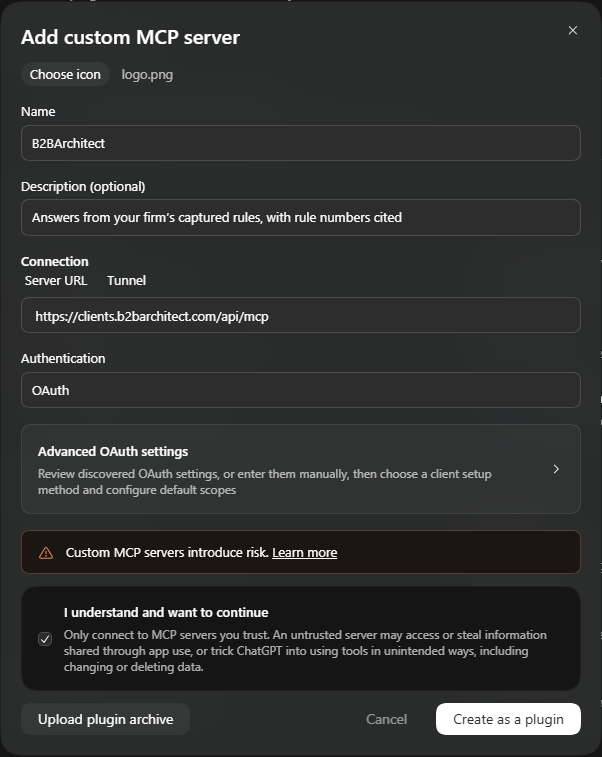
Add a custom connector with these fields:
Icon: download from logo.png
Name: B2BArchitect
Description: Answers from your firm's captured rules, with rule numbers cited
Server URL:
https://clients.b2barchitect.com/api/mcpAgree to the terms and click Create as a plugin.
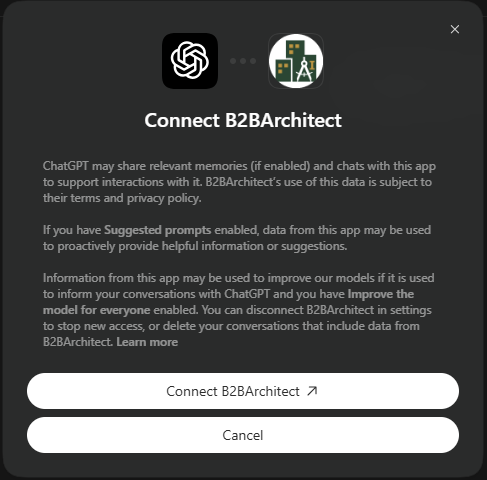
Click Connect B2BArchitect.
Sign in with your B2B Architect account and approve access.
On the access screen, choose Answer questions. Answer questions and look up rules is for advanced use when you want to list rules. Keep a copy in sync supports offline use.
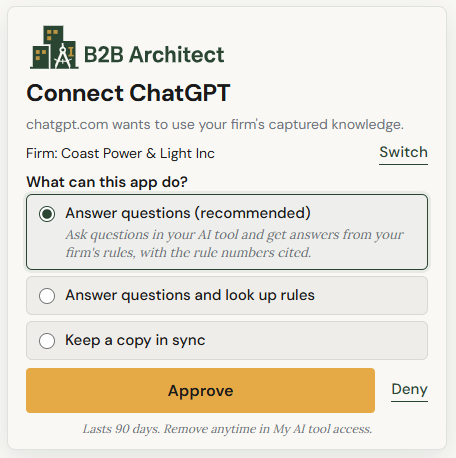
Fictional company and rules in this example.
3. Ask a question
Mention the plugin in your question.
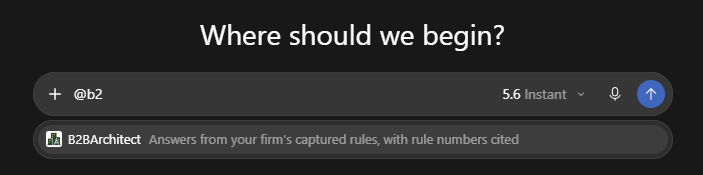

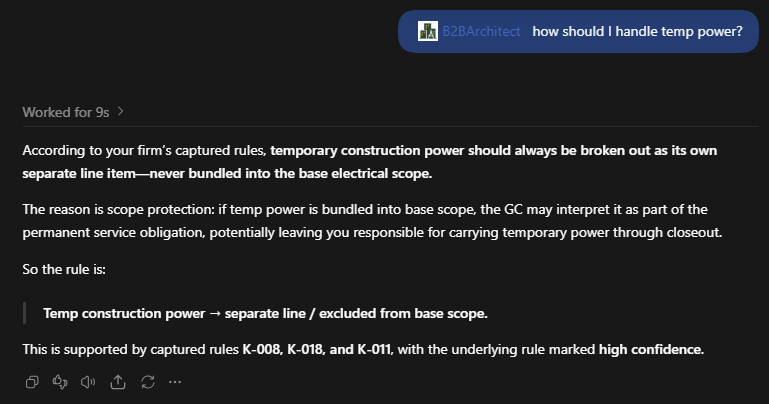
You can also say "our firm's rules" instead of referencing the plugin so it knows to use it.

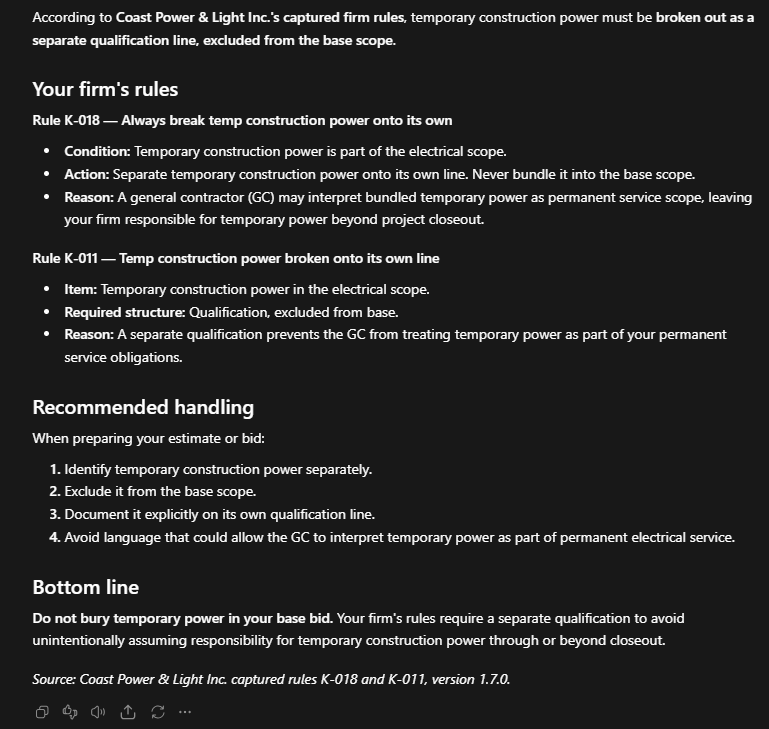
4. Stay in control
Each person signs in with their own account.
Role-based access means each person only sees the rules and FAQs their role allows.
You can turn access off for the whole firm or for one person at any time.
5. Not using B2B Architect yet?
Use B2B Architect to capture your team's rules, keep them current and make them available in the AI tools you already use.
