Use your firm's rules inside Excel
Your estimator can ask Claude a question without leaving the spreadsheet, and get back your firm's answer instead of a generic one. This takes about ten minutes to set up. You export the rules that apply to the work, load them once, and from then on Claude applies them in the sidebar, cites which rule it used, and writes to cells only when your estimator approves it.
Prerequisites
- A paid Claude plan. Claude for Microsoft 365 is not on the free tier.
- A Microsoft 365 work or school account. Personal Microsoft accounts and Office 2016 or 2019 will not work.
- Claude for Microsoft 365 installed. In Excel, go to the Insert tab, choose Get Add-ins, search for Claude, and install. If the Office Store is blocked, contact your Office 365 administrator.
- A captured artifact in your B2B Architect portal with at least one decision rule.
1. Export the rules you need
In the B2B Architect portal, open your process and choose Export Skill. Check the decision rules that apply to the work you are doing. Each rule pulls in its own exception cases automatically, so you do not have to hunt for them.
Keep the selection tight. A skill with five relevant rules works better than one with forty, because the description is what tells Claude when to use it.
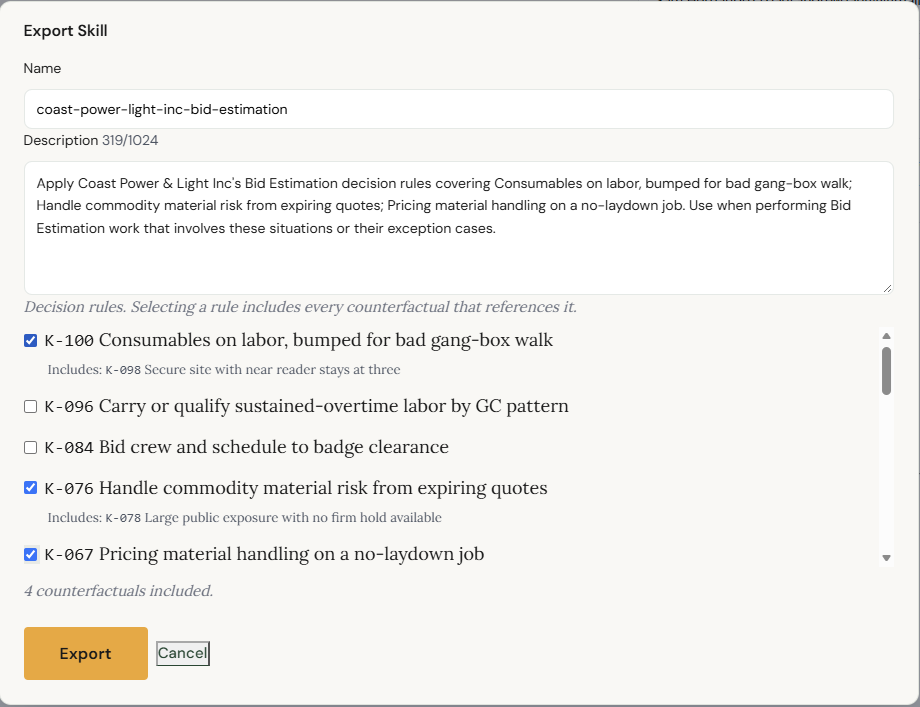
What you should see. A downloaded .md file named for your firm and the version, something like coast-power-light-inc-bid-estimation-v1.7.0.md.
2. Upload it to your Claude account
Skills live on your Claude account rather than inside Excel. Go to Skills in Claude, choose New skill, and upload the file.

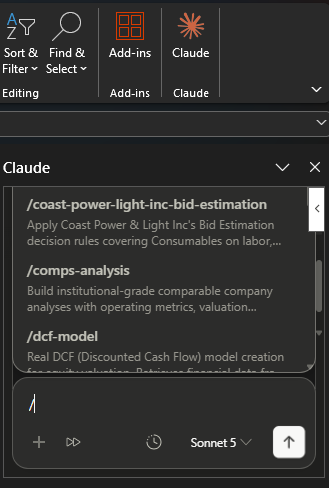
What you should see. The skill listed by name. In Excel, typing / in the Claude sidebar now shows it alongside the built-in ones.
3. Open your estimate and ask
Open the workbook. In the Claude sidebar, ask the question the way you would ask a senior estimator. You do not need to name the skill or type a slash command. If the question matches what the skill covers, Claude picks it up on its own.
This job has the laydown yard about half a mile from where the crew will be working. How do we carry small tools and consumables?
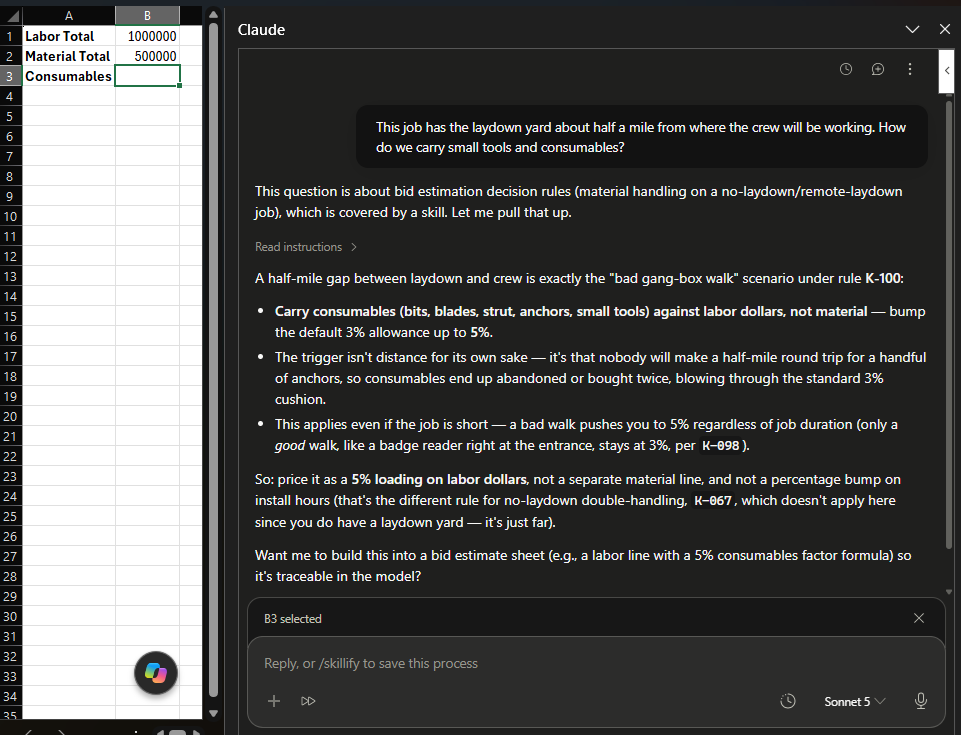
What you should see. Your firm's answer, not an industry average. In our case that is five percent against labor rather than the three percent default, with the reason given and the rule cited by its label.
4. Let it write the line, or don't
If the answer is right, ask Claude to put it in the sheet. It will ask permission before changing anything, and you can allow it once, always, or refuse.
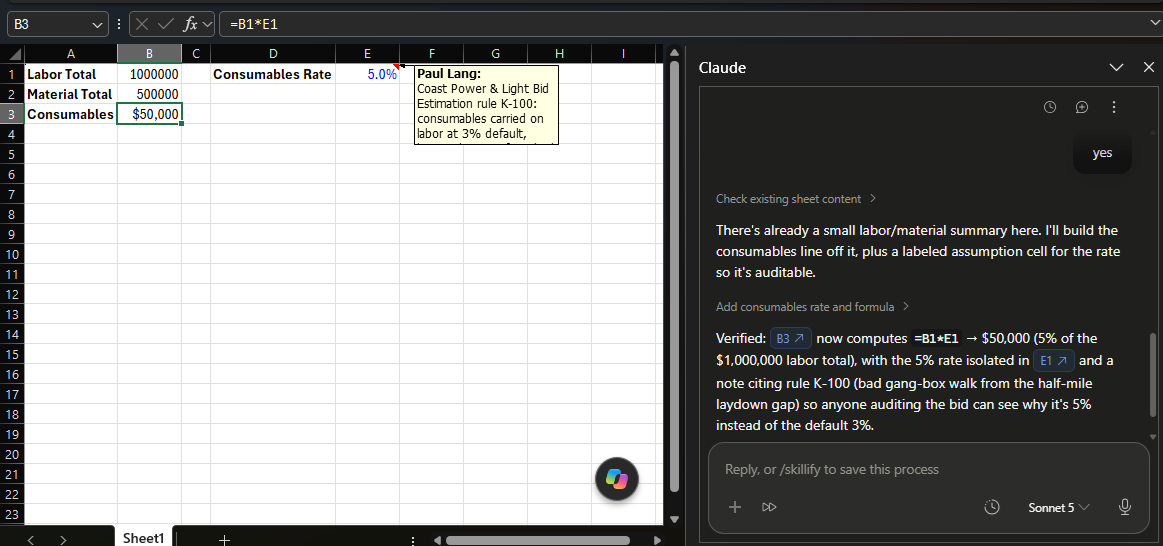
What you should see. The consumables line calculated off a visible rate cell rather than a hardcoded number, so your estimator can override it. In our test it also left a cell comment naming the rule it used, which stays with the workbook after the chat is closed.
The rule fired the same way on both Claude Opus and Claude Sonnet, so this does not depend on paying for the most expensive tier.
One thing to know: the exported file is a snapshot. When your artifact changes, export it again. The version is in the filename so you can tell at a glance which one you are running.