Review pay app in SharePoint before it goes to the GC
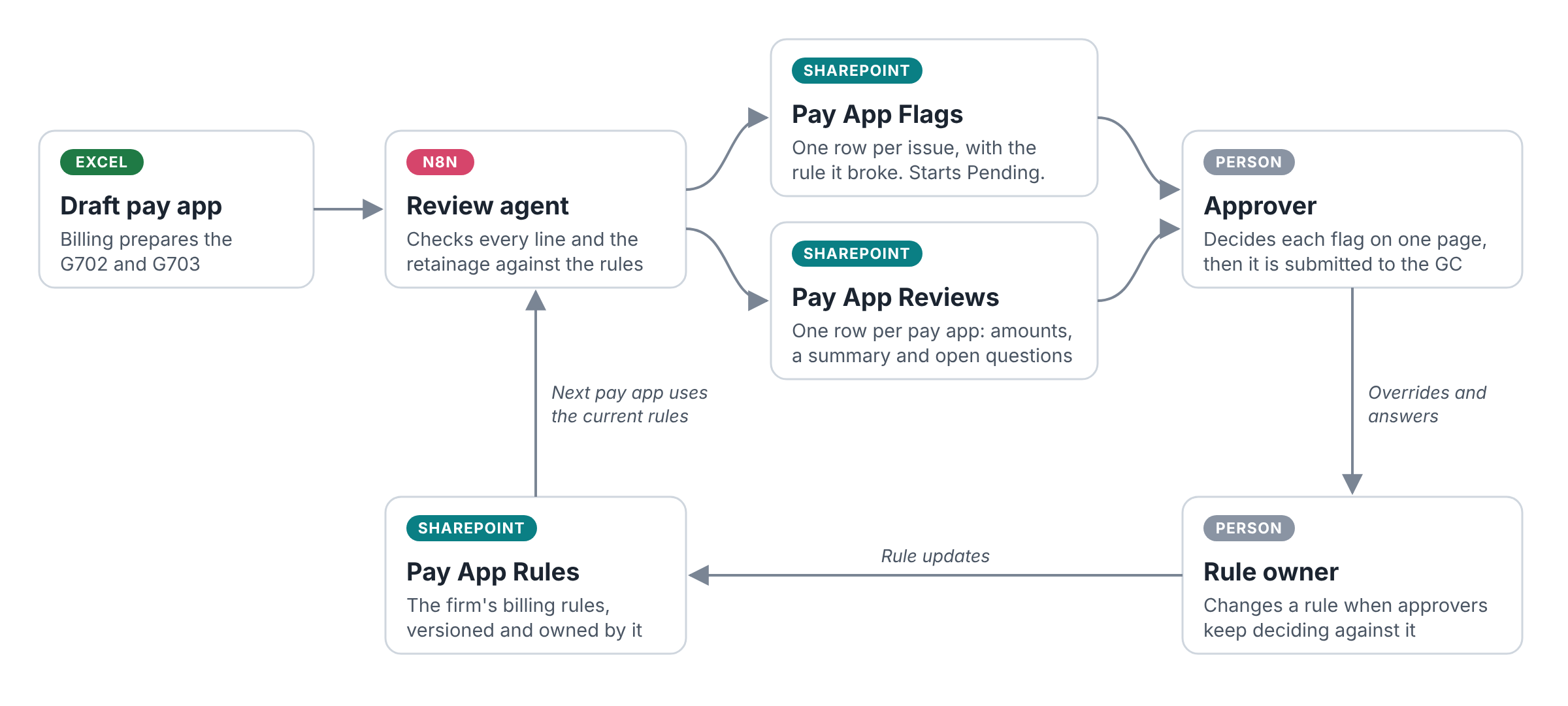
You run a draft pay app through an agent before it goes to the GC. It checks your billing rules and flags anything an approver needs to decide.
The job, the GC and the rules in this playbook are fictional. They are here to show you the review.
What it does
You have the agent check a draft pay app against your billing rules before it goes to the GC. It flags anything an approver needs to decide.
What the approver sees
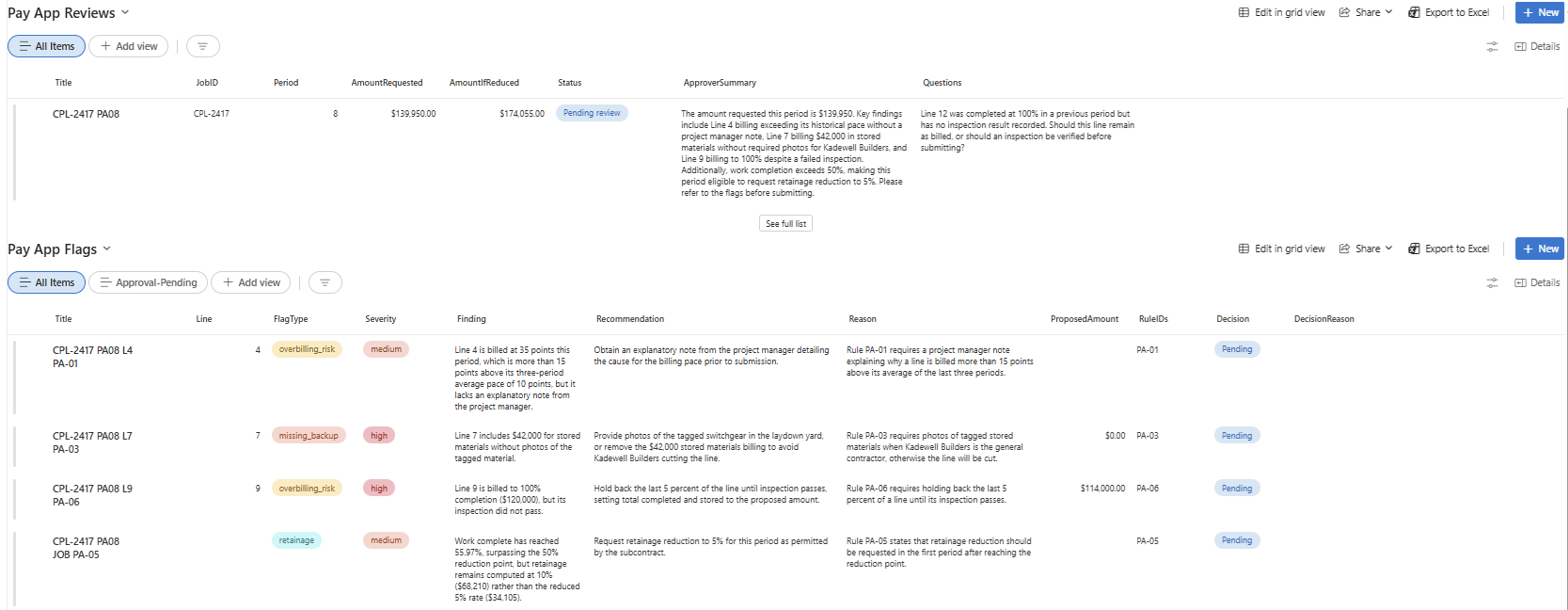
You give the approver one SharePoint page with the review and its flags.
What the agent checks
You have the agent check these rules.
| Rule | What it checks |
|---|---|
| PA-01 | A project manager note is required when a line is billed more than 15 points above its average of the last three periods. |
| PA-03 | Stored materials need photos of the tagged material when Kadewell Builders is the GC. |
| PA-05 | Request retainage reduction in the first period after work complete passes 50%. |
| PA-06 | Hold back the last 5 percent of a line until its inspection passes. |
B2B Architect can help you capture and keep these rules up to date over time.
How it runs
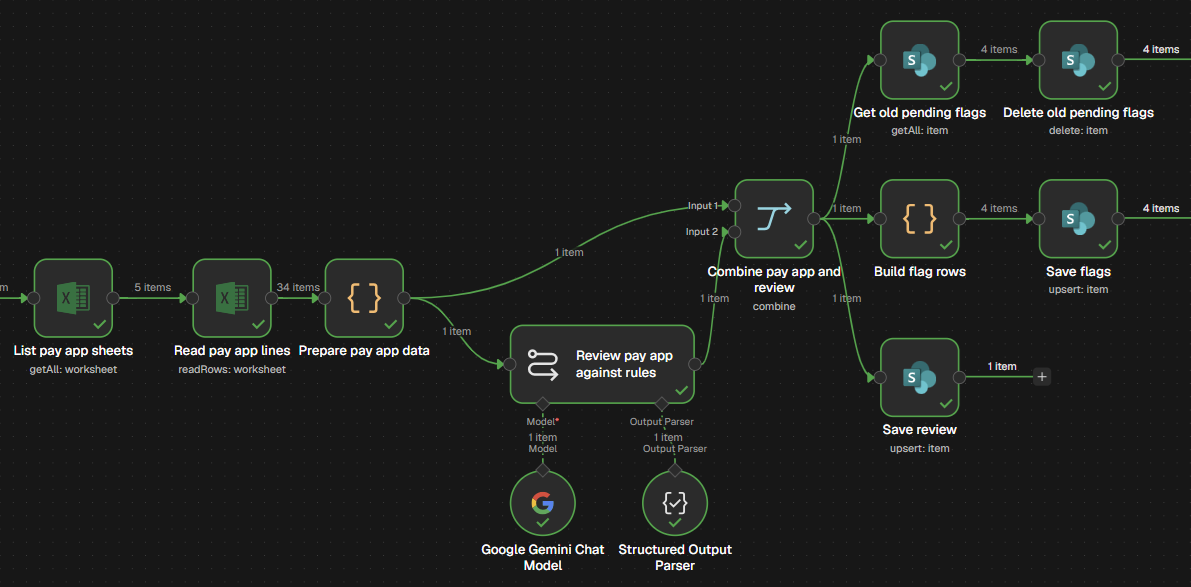
You run the review in n8n. The workflow reads the pay app from Excel, reviews it with Gemini, and saves the flags and the review to SharePoint.
What stays with people
The approver decides every flag, and a rule owner changes the rules.